
Guides Ways to use DerbyOn
Ways to use DerbyOn
The same app works for a two-person grudge match, a solo streak, an office challenge, or a month-long journey across a country. Here's how each one goes.
Four ways people actually use DerbyOn, each written as a walkthrough you can follow today. They're not modes or settings — they're just different ways of using the same app, and you can mix them freely.
Race your friends over a real route #
You want a bit of friendly competition with people you know, over a week or two, without anyone needing to be fit.
This is what DerbyOn is best at. You pick two places, everyone covers the distance in their own time and their own city, and the map shows who's winning.
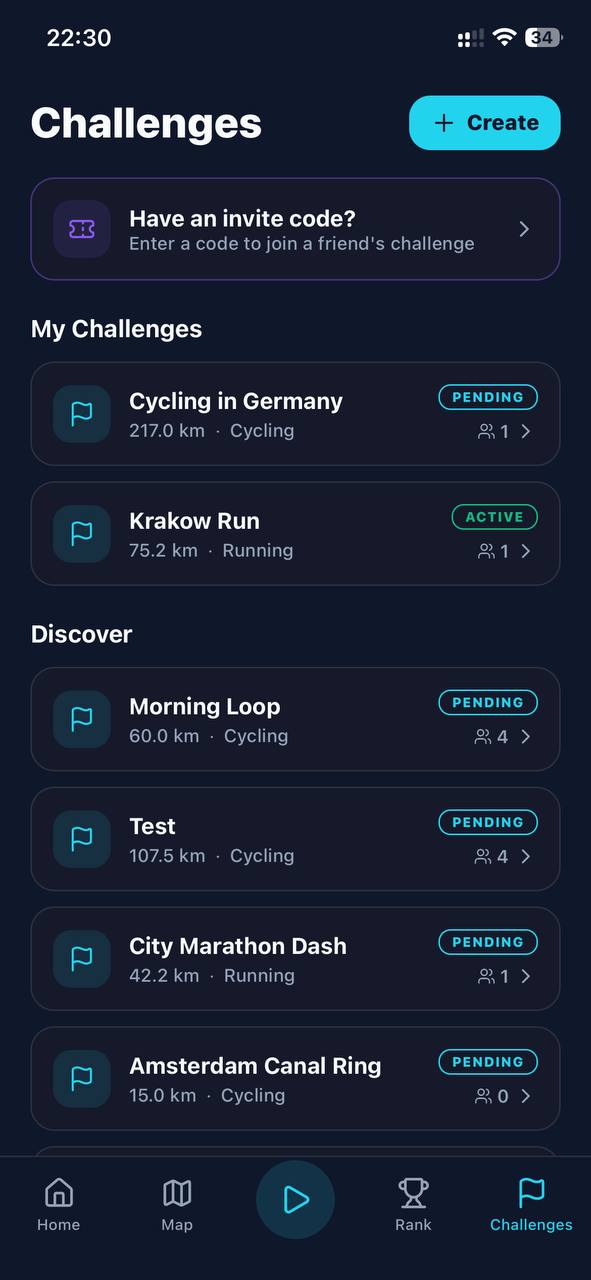
- Create the challengeGo to Challenges → Create. Choose a ready-made route, or tap Create manually and search for a start and finish — say Berlin to Dresden. DerbyOn calculates the real routed distance (217 km, in that case).
- Pick the activity and a sensible distanceEveryone in a challenge does the same activity. Be realistic: a 217 km cycle is a fortnight's commitment, while 40–60 km of walking makes a good week. See the guide to how long challenges run.
- Name it and decide who can joinPublic means anyone can discover and join it. Private is invite-only — usually what you want for a group of friends.
- Share the invite codeTap Share invite link or Share challenge and drop it in your group chat. The code is 8 characters with no confusable letters, so you can also just read it out.
- Wait for everyone, then start itYou're the host. Once people have joined, tap Start Challenge. Nobody can join after it starts, so make sure your slowest friend has actually installed the app first.
- RaceEveryone records their own walks, runs or rides. Progress is per person, so you're all working toward the same target from your own homes. First to cover it wins.
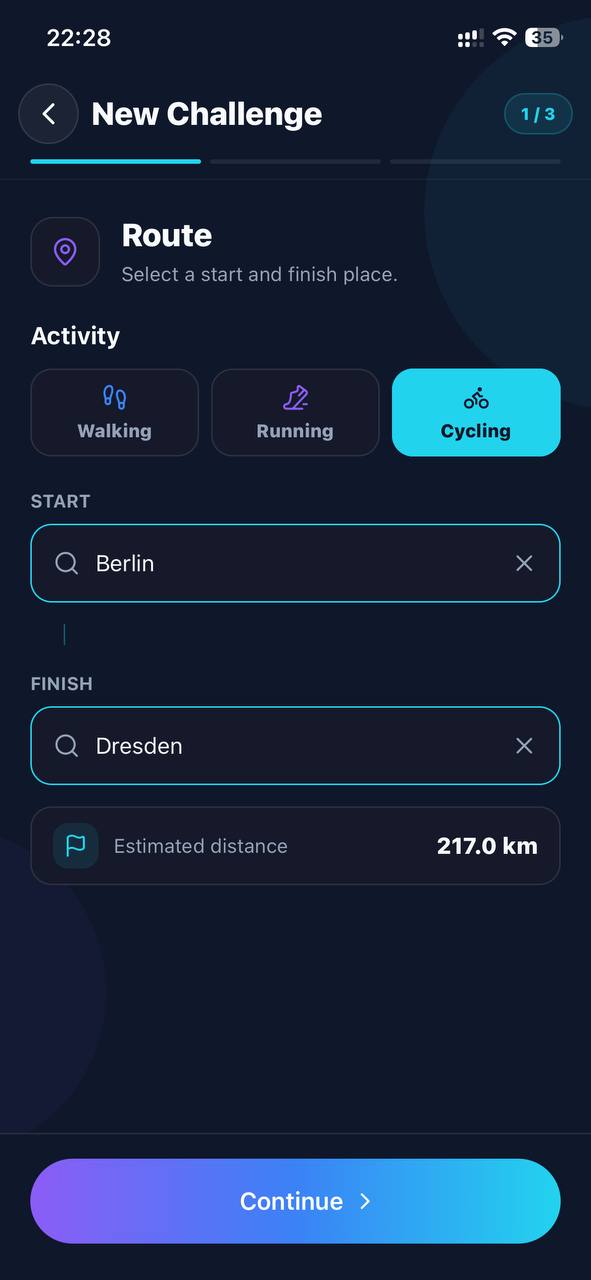
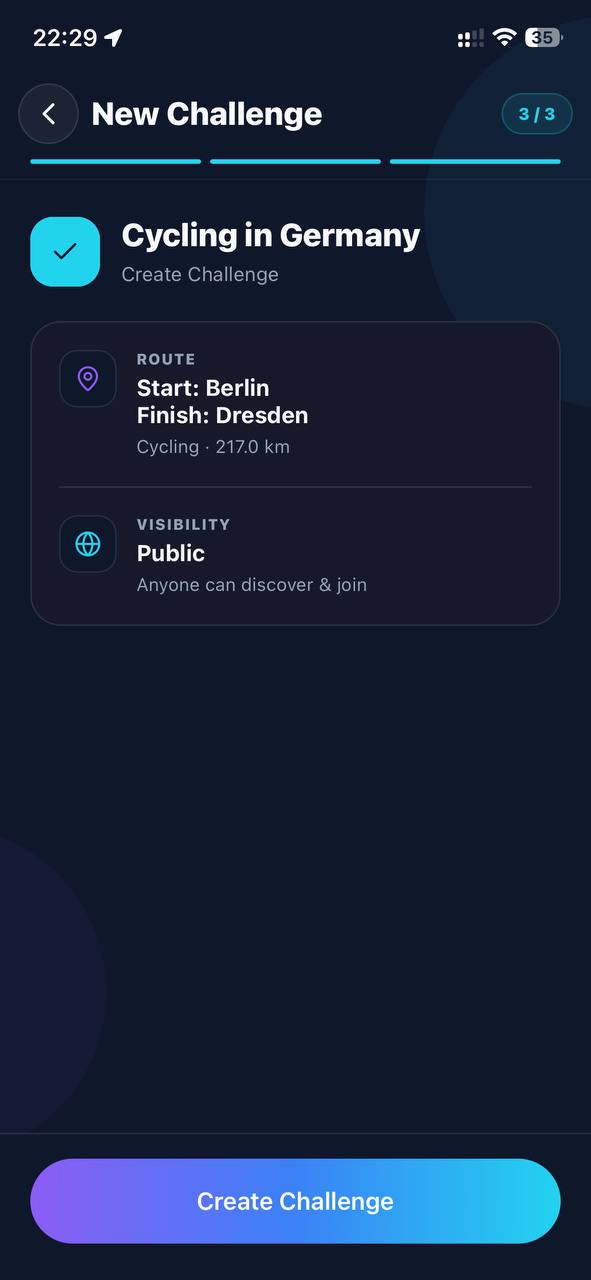
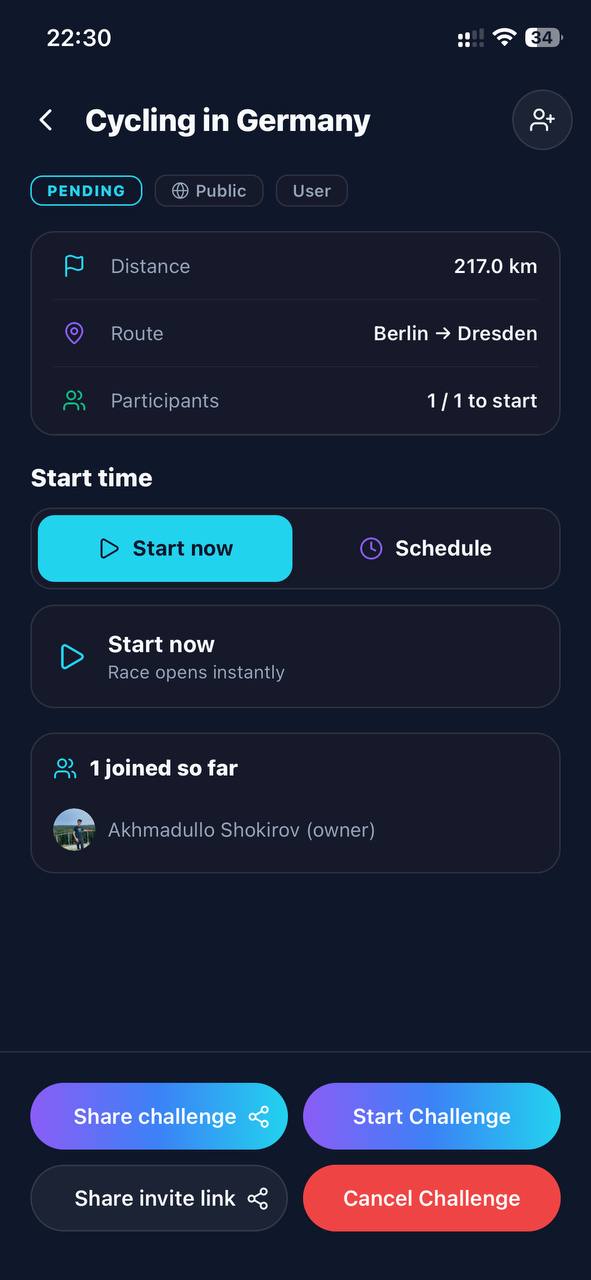
Full detail in Challenges.
Build a habit on your own #
You're not interested in racing anyone. You just want to move more often, and have something to show for it.
Solo mode needs no challenge, no invitations and no other people. Open the app, tap record, and go. Everything still counts toward your lifetime distance, your XP, your streak and your personal records.
- Record without a challengeTap the play button, and in the Solo panel pick walking, running or cycling. That's the whole setup.
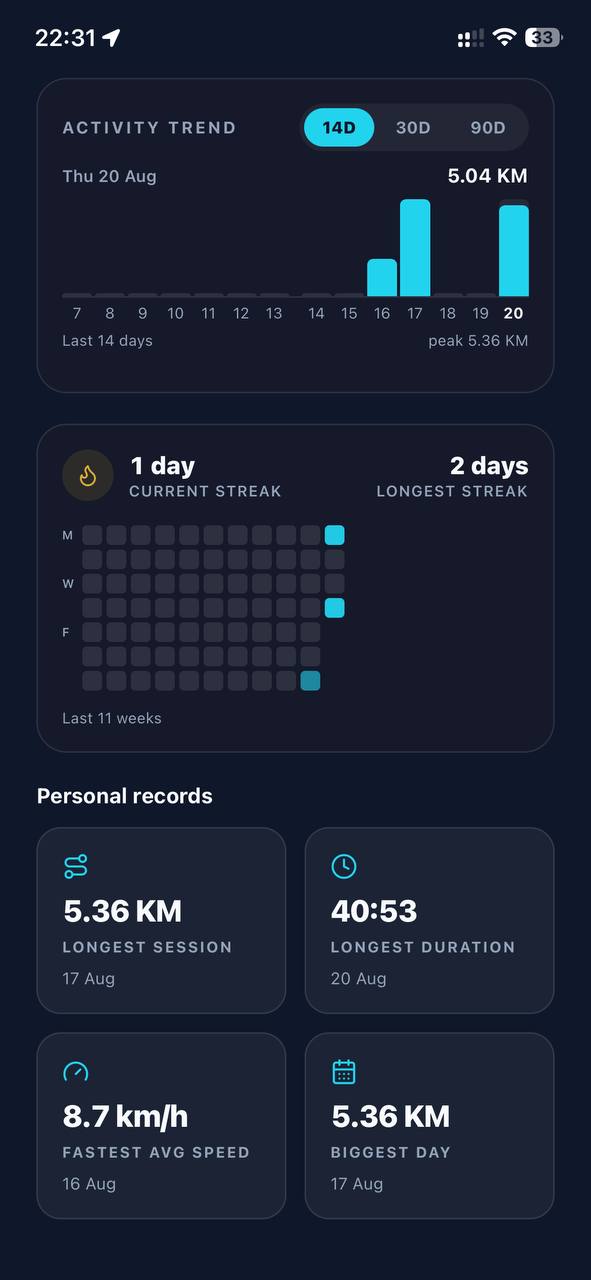
- Let the streak do the workProfile → Performance has a consistency heatmap and a current-streak counter. For most people this turns out to be the motivating bit — not wanting to break a chain beats willpower most days.
- Chase your own recordsLongest session, longest duration, fastest average speed and biggest day are all tracked automatically. Beating one is a good reason to go a bit further today.
- Watch the level climbXP is based on effort rather than raw distance, so a brisk walk is genuinely worth something. Levels and tiers — Rookie through to Legend — give the slow accumulation a shape.
Get your team, office or club moving #
You want to run a step or distance challenge for a workplace, a running club, a class or a team, over a few weeks.
- Make one public challengeCreate it as Public so people can find it in Discover, and share the invite link anyway — a link in an email or a Slack channel gets far better uptake than asking people to search.
- Choose walking unless you know your groupWalking is the great leveller: it includes everyone, needs no kit, and nobody is embarrassed by their pace. Mixed-fitness groups do much better with a walking challenge than a running one.
- Set a target the whole group can reachRemember everyone races the same distance individually — it isn't a shared pot. Pick something an average participant can finish in the time, not something only your keenest cyclist will.
- Collect everyone before you startGive people a few days to install the app and join. Once you start it, the roster locks and latecomers can't get in.
- Let the board do the talkingThe Rank tab shows the standings for the challenge. It updates live as people record, which is what keeps a workplace challenge alive in week two.
- Finish it cleanlyChallenges end on their own when the time runs out or everyone finishes. If it's clearly run its course, participants can Vote to End — once 90% of them agree, it wraps up and final standings are published.
Travel the world without leaving home #
You like the idea of walking the Inca Trail or riding the Danube, but you have a job and a normal life.
Take on a long route as a personal expedition and cover it a few kilometres at a time from your own neighbourhood. It takes weeks. Finishing feels like it should.
- Pick a route worth finishingThe ready-made catalogue has proper journeys in it: the Inca Trail to Machu Picchu (43 km on foot), Manhattan End to End (21.6 km), the Danube Path from Passau to Linz (90 km by bike) or The Century (160.9 km). Or build your own between two places that mean something to you.
- Go alone or bring one personThese work solo, but they're better with one friend doing the same route — enough company to keep you honest, not enough to feel like a competition.
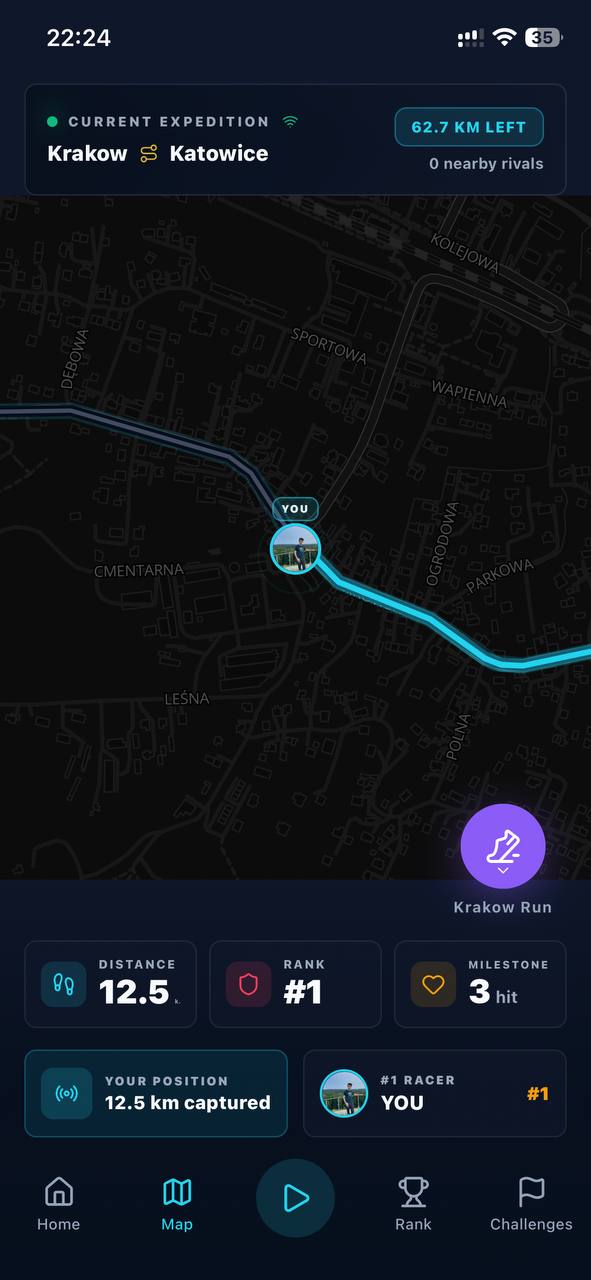
- Watch the map, not the numbersThe Map tab shows your marker moving along the actual route, with checkpoints at 25%, 50% and 75%. Watching yourself creep across a real country is the point.
- Look back at where you've beenThe map's Territory view builds a heatmap of everywhere you've recorded, and Replay redraws any past session. After a few weeks it's a genuinely nice thing to look at.
Which one should you start with? #
If you're not sure, this is the honest answer:
- Have a friend who'd say yes? Race them. A two-person challenge over a week is the fastest way to understand what DerbyOn is for.
- On your own? Record solo for a week first and let the streak build before you worry about challenges.
- Organising for a group? Run a short walking challenge as a pilot before you commit your whole office to a month.